
The easiest way to delete duplicate file
Duplicate File Smartphone or computer users faces many common problems, one of them is a duplicate files. Due to duplicates file our computer or smartphone storage problem arises. There are a lot of problems in finding duplicate files but there are many applications and softwares available on the internet, with the help of which duplicate files can be easily deleted and can increase the storage.

If you are a computer user or a smartphone user, then today's article can be very helpful to you, because in today's article we will learn about some of the software and applications that help you to delete duplicate files easily from your computer or smartphone. Can be deleted from
How to Delete Duplicate File
First of all, we will learn how to delete duplicate files in your computer or smartphone. You can easily delete any duplicate file with the help of software in the computer.
How To Delete Duplicate File In Computer
To delete duplicate files in the computer, software has to be used. You will find many software on the internet, but in today's article we will learn how to delete duplicate files with the help of cc cleaner software.
First of all you need to install cc cleaner software on your computer. You can download this software from cccleaner official website.
After downloading the cc cleaner software you have to install it on your computer
After installing on a computer open it you will see a option of "tools" click on it.
Now you will see a duplicate finder option to click on it you will see a number of options and set all your settings and select the computer file to find the duplicate files and click on the search option.
After waiting for some time, the number of duplicate files available in your computer drive will be visible which you can delete.
In this way you can easily deletes the duplicates files in your computer with the help of cc cleaner software.
Read also
How to clean scratch on mobile screen in 2 minutesRoot Android Phone | Best rooting apps for android 2018
How To Make Money Online Without Paying Anything
Redmi 5A Complete Review And Specifications
How to delete duplicate files in your mobile.
On the Internet you will find many apps that can help you delete the duplicate file from the smartphone but the application that is going to talk about this application is very awesome. All the features will be seen. The name of this application is Files Go, it's Google's property that you can download from the Play Store.


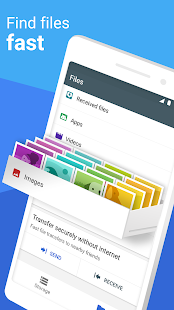
- Firstly you need to download and install the Files Go application from Play Store.
- Now let us open Files Go.
- This application looks at the home page by finding the automatic duplicate files on smartphone.
- Then you can delete duplicate files according to you.
Hopefully after reading this article you will be able to can easily delete a duplicate file on a smartphone and a computer.


0 Comments: